
How to build an order lookup bot: automating e-commerce customer service for shipping, sizes and returns
Anyone in e-commerce knows customer messages mostly circle around three things: “Has it arrived?” “How do I return or exchange it?” “What size/spec is this?” None of them is hard, but the volume keeps staff copying and pasting all day. This article shows you how to hand these three kinds of repeat questions to the system, so your team can focus on the things that need real judgment.
The three big repeat questions in e-commerce customer service
| Question type | Typical wording | How to automate |
|---|---|---|
| Shipping and delivery | “Has it shipped?” “When will it arrive?” | Look up order status with an external tool or Google Sheets |
| Returns and exchanges | “Can I exchange it if it doesn’t fit?” “How do I return it?” | Knowledge base answers the policy + a flow collects the request |
| Product specs | “Will this run small?” “What’s it made of?” | AI knowledge base answers product questions |
Step 1: Answer product and policy questions with the knowledge base
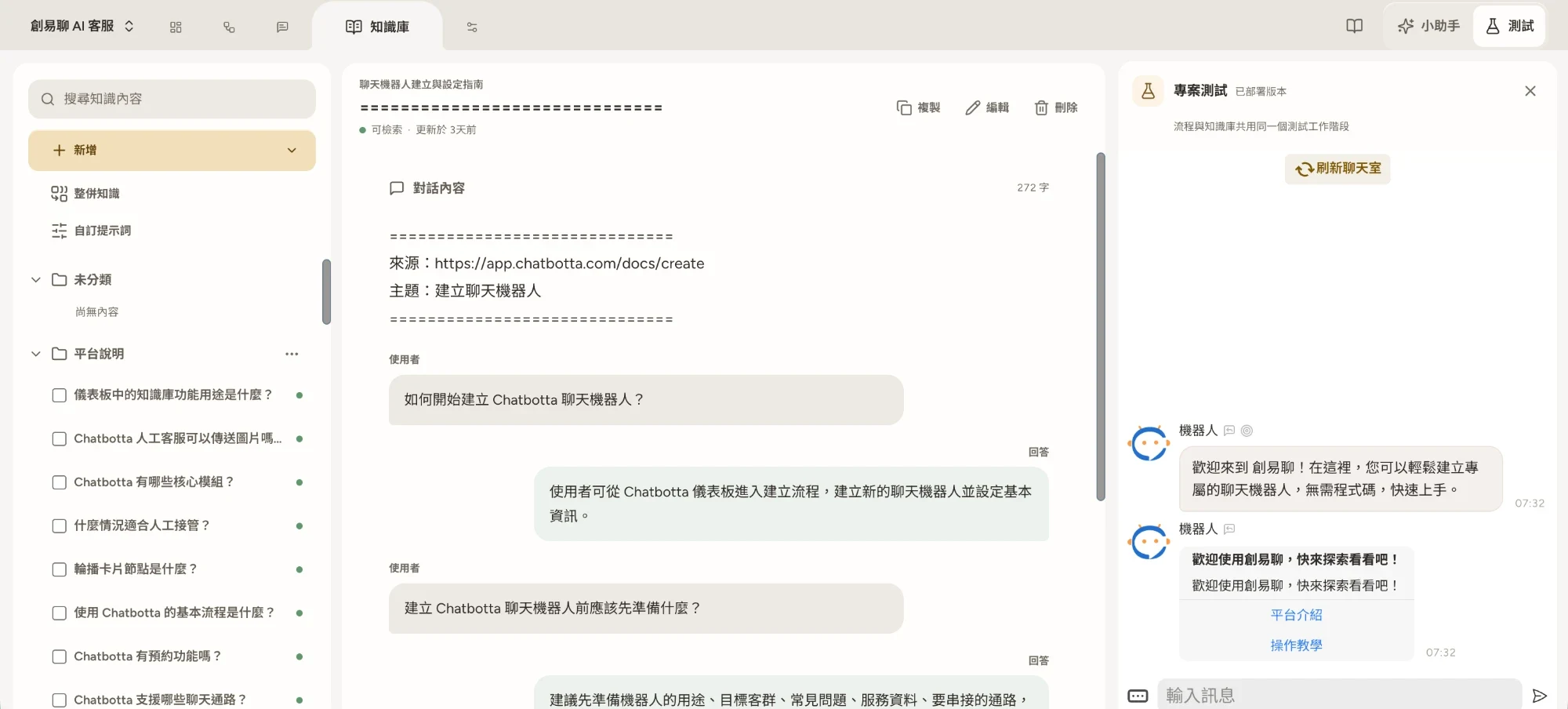
Start with the biggest group: questions with fixed answers. Gather your product page content, size charts, material details, return policy and shipping rules, and upload them to the AI knowledge base. It supports PDF and DOCX, or you can paste a product page URL and the system turns it into Q&As. After that, whether a customer asks “What’s the chest size for an M?” or “Will this shrink?”, the AI finds the answer in your content and replies.
After launch, use “Times used” in Knowledge to see which questions come up often but get poor answers, then add content. The more specific your policies are (how the 7-day review period is counted, who pays return shipping, which items can’t be returned), the more accurate the AI’s answers and the fewer disputes later.
Step 2: Let the AI look up orders
The answer to “Has it arrived?” lives in your order system, not in the knowledge base. Depending on where your order data is, there are two ways to do it:
- Your order system provides an MCP server: add it in Chatbotta as an external tool and let the bot use it. When a customer asks “Where’s my order?”, the AI asks for the order number (or the phone number used to order), looks up the status with the tool, and replies in plain language.
- Your order data is in Google Sheets: connect the spreadsheet in “Apps”, ask for the order number in a flow with “Ask for input”, then read the data with the “Write to Google Sheets” step and reply with the status (shipped / in transit / arrived at store).
You can build the flow yourself on the canvas, or ask the built-in Copilot to lay it out for you. The same approach extends to delivery tracking, member points and stock lookups, as long as the data can be looked up.
Step 3: A returns and exchanges flow
Returns shouldn’t be approved fully automatically, but collecting the details and doing a first screening is a great fit for automation. A suggested flow:
- Check eligibility: first ask for the order date and product type, and use a “Condition” step to check whether it’s within the review period and whether the item can be returned
- Eligible → guide them through the request: collect the order number, reason and photos step by step; the data can sync to Google Sheets or Notion for your records
- Hand off to a person for review: once everything is collected, hand it to staff for final confirmation and the refund. They only need to review, not start asking from scratch
When a request isn’t eligible (past the deadline, or a non-returnable item), the bot quotes the policy to explain why and offers the option to appeal to a person. Clear rules plus a way out make it easier for customers to accept.
Step 4: Bring messages from every platform into one inbox
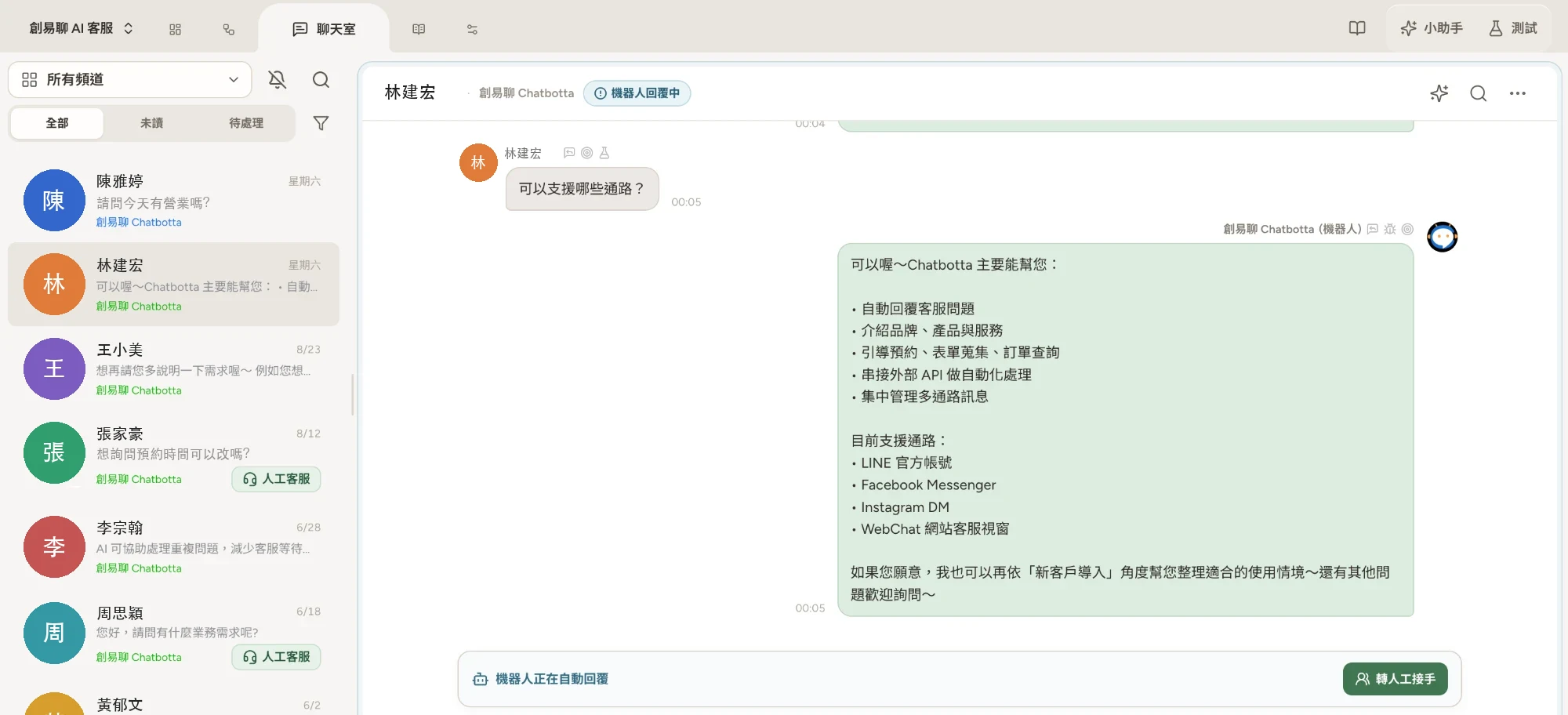
E-commerce customers are spread across channels: LINE Official Account, Facebook Pages, Instagram DMs and your website. Chatbotta’s unified inbox brings messages from LINE, Facebook Messenger, Instagram DM and website chat into one dashboard. Filter conversations that need attention by tag and save time with saved replies; when the bot can’t answer, staff take over and return the chat to the bot when they’re done.
Note that Shopee chat isn’t supported. A common practice is to put your LINE Official Account link in your Shopee shop description and shipping notices, moving after-sales and repeat-purchase conversations to a channel you can automate and grow yourself. For your own website, add a live support entry point with website chat and a single snippet of embed code.
What should stay with a person?
- Complaints and disputes: wrong orders and damaged items need a person to apologize and decide on compensation
- Price negotiation and bulk orders: pricing flexibility is a business decision; don’t let a bot make promises
- Unclear exceptions: hand situations your policy doesn’t cover to a person, then add the outcome to the knowledge base afterwards
Get started
Go to app.chatbotta.com to build your e-commerce customer service bot. The free trial lasts 14 days, with someone from our team helping you get set up and go live, and it can be extended depending on your progress. To talk through your integration needs first, book a 30-minute product demo. For the basic LINE setup, see the LINE auto-reply guide.
FAQ
Q: Can I build an order lookup bot without an engineer?
A: It depends on where your order data lives. If it’s in Google Sheets, read it in a flow with the “Write to Google Sheets” step, no code needed. If it’s in a shopping cart platform, ERP or your own system, that system needs to provide an MCP server so you can add it to Chatbotta as an external tool for the AI to query. Ask your vendor whether they provide one, or get an engineer to help.
Q: Can it auto-reply to Shopee chat messages?
A: Chatbotta currently supports LINE Official Account, Facebook Messenger, Instagram DM and website chat, but not Shopee chat. We suggest pointing customers to your LINE Official Account in your Shopee shop info and shipping messages, so after-sales questions move to a channel you can automate.
Q: Will the AI make things up when answering product questions?
A: The AI answers from what you upload to your knowledge base, so the content needs to be accurate and complete. Before going live, ask all your common questions once in the test chat; after launch, check “Times used” in Knowledge and keep filling gaps. For policy questions (returns, exchanges, warranty), the more explicit you write them the better, and keep a way to reach a person.